


UINEER SHOP
Uineer Tri-Mode Bluetooth Mouse - Multi-Device Switching for iPad/Mac/PC
Uineer Tri-Mode Bluetooth Mouse - Multi-Device Switching for iPad/Mac/PC
4.75 / 5.0
(4) 4 total reviews
Couldn't load pickup availability
-
Uineer Ergonomic Vertical Mouse | Comfort & Health Combined, Say Goodbye to Wrist Pain!📌 Attention-Grabbing Tagline
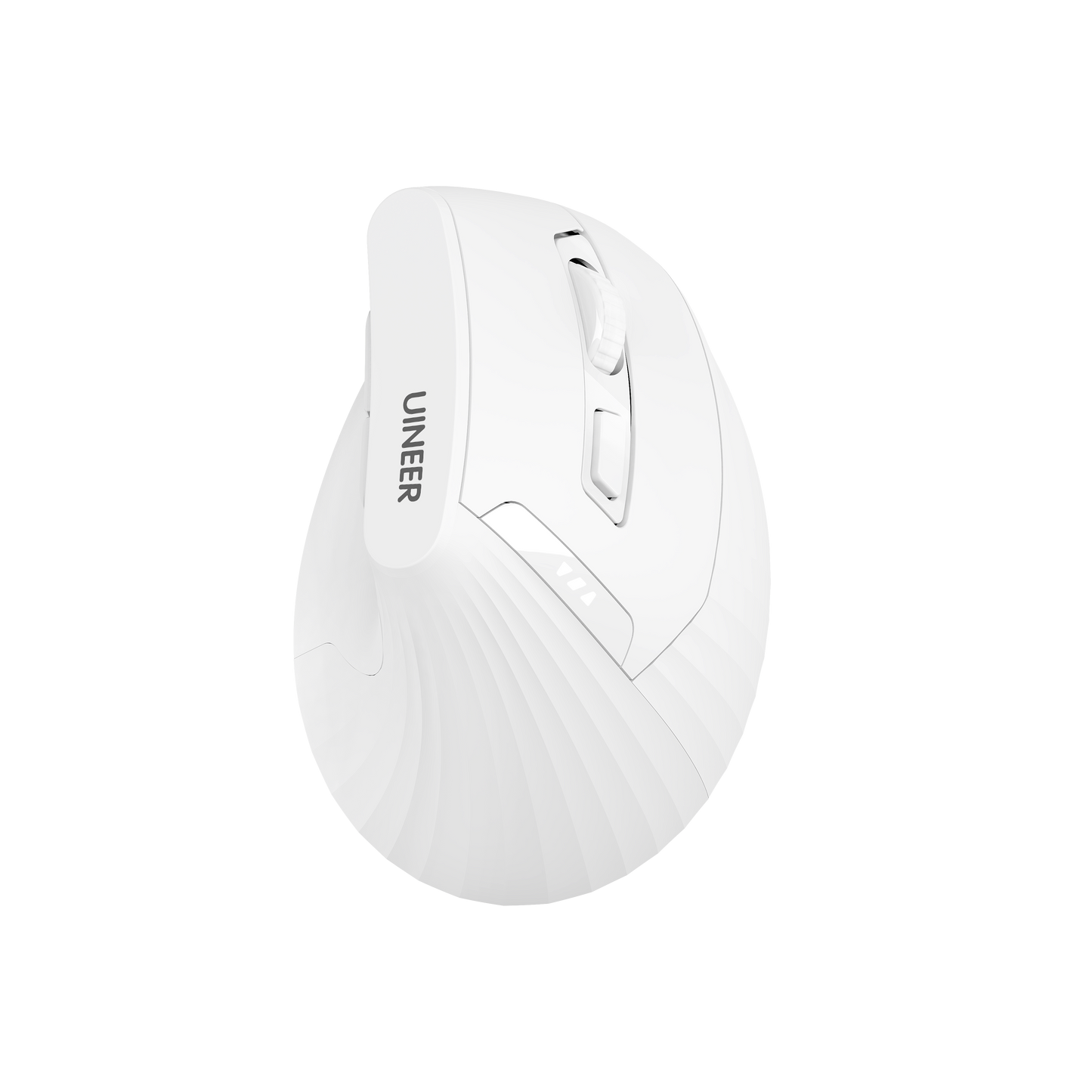
Bid farewell to wrist pain and embrace efficient work! The Uineer Ergonomic Vertical Mouse is specially designed for extended use, with a vertical grip that follows the natural curve of your hand, reducing wrist strain and making your work and entertainment more comfortable~🔥 Key Selling Points
✅ Ergonomic Design: 57° vertical grip angle that distributes wrist pressure, prevents mouse hand, and fits the natural arc of your palm.
✅ Multi-mode Bluetooth Connection: Compatible with BT5.0/4.0/2.4G, seamlessly switching between multiple devices (computer/tablet/laptop).
✅ Long-lasting Battery Life: Built-in 500mAh rechargeable battery, Type-C fast charging; real-time battery indicator (green: sufficient / red: low).
✅ Multi-system Compatibility: Supports Windows/MacOS/Linux, plug and play, no driver required.
✅ Silent Click Technology: Micro-sound clicks that won't disturb others, keeping you focused on work or study.📝 Usage Scenarios
🖥️ Office Use: Long hours of document processing, spreadsheet editing, and design drawing without wrist strain.
🎮 Entertainment: Pair with computers/tablets for watching videos or light gaming, comfortably controlling every moment.📊 Product Specifications -
Parameter Details Connection Bluetooth 5.0/4.0/2.4G Battery Capacity 500mAh (≥30 days battery life*) Charging Port Type-C Button Lifespan 30,000 clicks Compatible Systems Windows/MacOS/Linux Dimensions 120mm×65mm×40mm Weight 150g -
💡 Trust & Assurance
✅ 30-Day No Questions Asked Return Policy: Worry-free shopping, keep it only if you're satisfied!
✅ 1-Year Official Warranty: Free repairs for quality issues, hassle-free after-sales service.
✅ Uineer Authenticity Guarantee: Officially supplied, quality assured.🎯 Take Action Now
Limited-time offer! Say goodbye to wrist pain starting now
Share


- 5 stars: 3 (75%)
- 4 stars: 1 (25%)
- 3 stars: 0 (0%)
- 2 stars: 0 (0%)
- 1 star: 0 (0%)
Been using this for a few weeks now and it has made a noticeable difference for my wrist. I was dealing with some strain from long hours at the desk and switching to a vertical mouse helped a lot. The Bluetooth connection paired quickly and the 2.4G dongle option is handy when Bluetooth acts up. Battery life is solid, charged it once and it has lasted. The side buttons are a nice touch for navigation. My only complaint is the scroll wheel feels a little stiff but nothing that ruins the experience. Would recommend to anyone working long hours.
Bought this one and a ProtoArc EM11(returned the ProtoArc) to try two new vertical mouse options when my Anker finally started acting up after 5 years. I decided this time to try rechargeable units with internal battery and Bluetooth.
Both units include a 2.4GHz usb receiver included as well as two Bluetooth channels. The Uineer works flawlessly on all three options, consistently and switching between them takes less than a second to connect - very useful if you are trying to use mouse control on multiple computers at the same time without a KVM switch. While I may say the ProtoArc was a more comfortable feel in the hand, this unit satisfies me the same as my old Anker (2.4G USB only) did for 5 years. The ProtoArc connected one time on each BT channel... once. Then it was never discoverable again on either my Linux or Windows PCs - I tried 3 different usb BT dongles, and all the pain that comes with testing that. This unit is an all around decent option. Don't expect it to last forever - there are going to be limits at this price point (battery, buttons, etc.), but after 3 weeks I have no complaints and have not had to recharge yet (8-14 hours daily use). The scroll wheel, side buttons, connectivity and daily use is as good as any $100 Logitech (this unit looks like a knockoff of the Logi anyway) The whole vertical/ergonomic mouse option is something I don't see myself ever going back from. This format alleviated wrist pain I had for a while as I spend a lot of time on a computer for both my main job and work on the side. I consider this a very good option for the serious computer user/admin on a budget.
Liegt sehr angenehm in der Hand und der Akku h?lt sehr lange (kam voll aufgeladen an am 18.3.26 und musste seitdem noch nicht aufgeladen werden, hat immer noch 2 von 3 leuchtenden Strichen). Sehr gute Qualit?t, kann ich nur empfehlen!
(Tested on Windows 10 PC)
>I will update this review (at the end) with concerns if any arise.<
? Personal Experience (Amazing)
- Advertising
As advertised. And came with the advertised: Vertical mouse (with the wireless 2.4G dongle stored in bottom), USB-A
to USB-C charging cable, and user manual.
- Setup
After fully charging the mouse, just plugging in the wireless 2.4G dongle instantly connects the mouse to my PC, and I
am assuming Windows downloaded the necessary drivers within 5-15 seconds.
Bluetooth setup and connection did not have any issues or a long wait time for connection.
- Size & Quality
For my hands, currently about (6.69 in [17 cm {170 mm}]) from base of palm to tip of middle finger, this feels very
comfortable.
I am very happy with the great, sturdy, good quality feel this has.
- Buttons
The left and right mouse buttons (LMB & RMB) are very quiet and are kind of soft-feeling.
The front side button (forward) and the back side button (back) sound a little quieter than average.
The loudest two buttons are the DPI and scroll wheel (when pressed down, otherwise the scroll wheel also sounds
average to quiet).
The scroll wheel is mostly consistent, but will (about once every complete rotation) have a step that feels lighter than
normal, and because of this may accidentally scroll two lines instead of one.
- Skates/Feet
The feet/skates on the bottom of this mouse are good, and if I am not completely resting all of my hand/arm weight
on the mouse, they glide very smoothly across my mousepad.
I think it would take a variable few hours for someone to become used to using this mouse with moderate accuracy,
when coming from a standard mouse.
- Connectivity
I mostly use this mouse with the wireless 2.4G dongle (500hz-1,000hz report rate), but, I have tested both Bluetooth
4.0 and 5.0 (125hz report rate) and they all seem to work just fine, other than the fact that BT 5.0 slightly increases the
sensitivity (or DPI/CPI).
>Lower report rates/polling rates (such as 250hz or less) will have less precise, and more stutter-like movements,
especially when doing fast motions or swipes.<
- Sleep Mode
(Tested in 2.4G mode) After 1 minute of inactivity the mouse will go into a sleep mode (battery light indicators and
mouse temporarily turn off) until you move the mouse or press a button to wake it.
After about 10 minutes of inactivity the mouse will go into a deeper sleep mode where you have to press a button to
wake it up again (scrolling will not wake it).
I accidentally left the mouse on after turning my computer off, and the mouse just entered sleep mode until I came
back to use it again.
- Battery
I would say that so far, I have probably used this mouse for around 20+ hours total, and I have only charged it once
(right away after retrieving it from the packaging) using the provided (19.5 in [49.53 cm {495.3 mm}]) USB-A to USB-C
charging cable.
I ran the mouse down to about 2% (using 2.4G mode probably 99% of the time), I could tell because the mouse
battery indicator was flashing, and I checked the battery by switching to either Bluetooth mode and looking at the
battery % settings.
? Possible Cons
-If you are using this mouse in conditions that are room temperature to warm, your right hand on the mouse may also
get relatively warm, and might even sweat in very warm conditions.
-Sometimes when bringing my right hand back to the mouse after typing on my keyboard, I bump into the mouse
because of how tall it is, and almost knock it off my desk.
(This usually happens when it's dark, or late at night, or I am not focused on my surroundings.)
-I feel like the angle could be a little steeper for better ergonomics, but it still definitely helps as is.